
Sitecore Commerce: Fix ERR_SSL_KEY_USAGE_INCOMPATIBLE
4 min readProblem
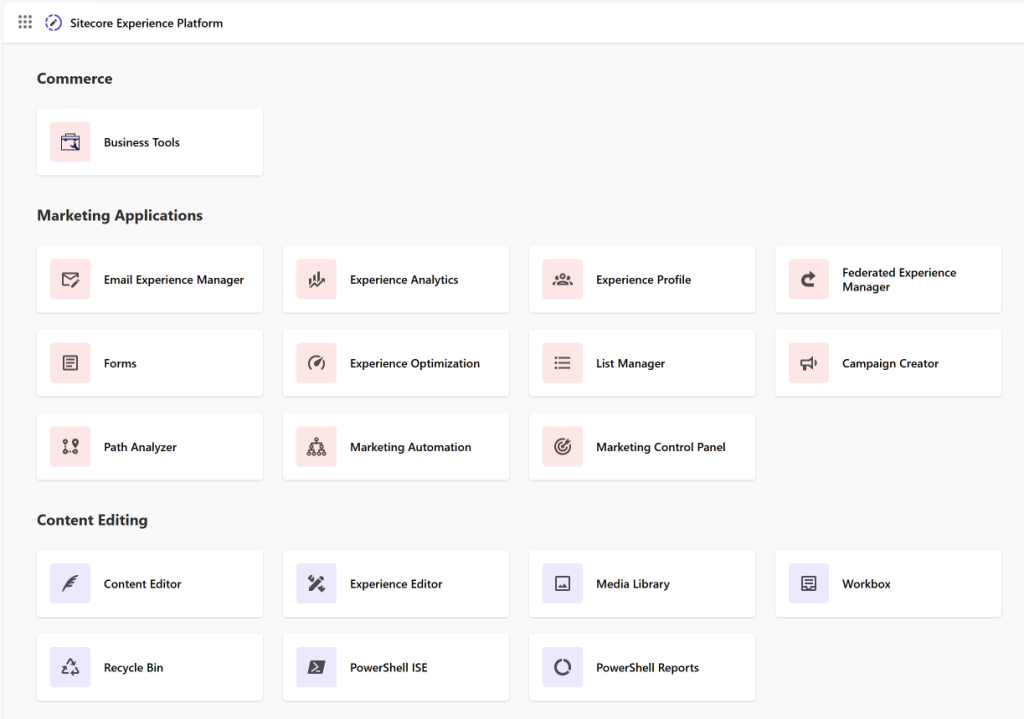
Recently I got a task to prepare one POC for the Sitecore Commerce. I started with Sitecore installation, followed by, SXA and Sitecore Commerce module. All went well and installation was successful according to the installation guide. I was also happy seeing the Sitecore launch pad page with Sitecore Commerce section. I opend the Content Editor to see the sample Storefront site created during the Sitecore Commerce module installation. I was very happy that I've passed half the way for my POC.
As soon as I opend the https://sxa.storefront.com sample site in the new tab, I am presented with a big surprise.
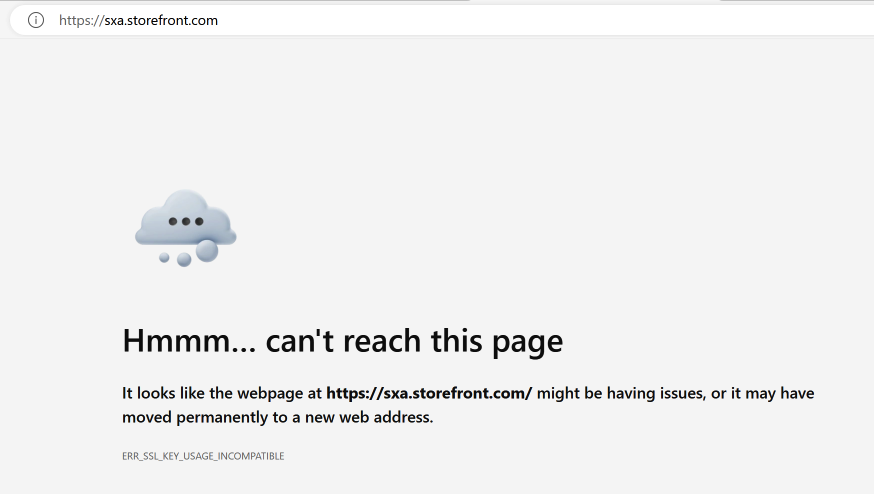
What just happened? Installation went well, Sitecore Commerce site setup went well, logs have no red line, no installation interuption.
I tried to open the Business Tools from the launch pad. The Business Tools was also throwing the same error.
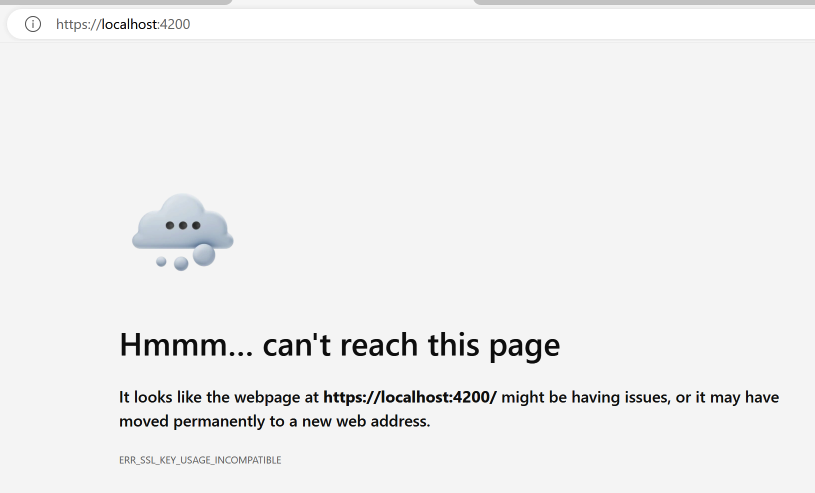
I couldn't understand what went wrong, and started to search in the Google, the ultimate resolution of a developer.
Please note that this article is not related to step-by-step instructions for installing Sitecore Commerce module.
Resolution
While finding the solution for the error, I came across the following blog from Sreekrishnan K S. He mentioned the fix for the Sitecore site he faced. Thanks Sreekrishnan for sharing your findings and resolution to the issue.
To read the post by Sreekrishnan K S, please click here.
I followed his steps and found that the certificates for the Sitecore Commerce sites are using the same key usages, in the SSL certificates, which Sreekrishnan mentioned.
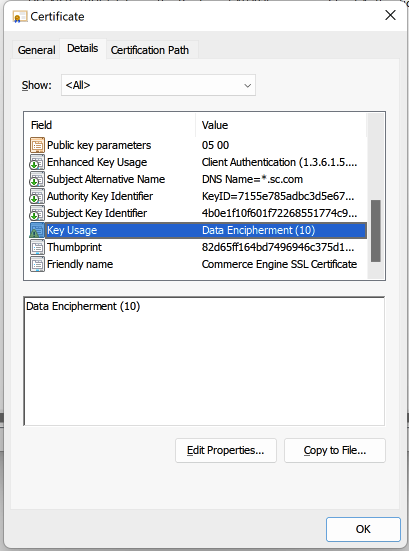
But wait, why did I not get the error for the Sitecore CM, as he faced and mentioned in this article? When I checked the SSL certificates for the Sitecore CM, I found that the key usage is Digital Signature, which is as expected for the website to open in the browser on local system.
It seems Sitecore has rectified the SSL issue for the Sitecore XM/XP installation, as I’m using Sitecore 10.3.1 and did not get the certificate error for the Sitecore CM site after installation.
Now, it's my turn to find where Sitecore Commerce uses the Data Encipherment as the key usages while generating the SSL certificates.
Again I started crawling through articles by search the error for Sitecore commerce. But I did find anything important.
So, I started looking of the fix on my own. My first thought was, Sitecore Commerce installation script creates the certificate during installation of the module. So, there must be something to look into first.
I opened the Sitecore Commerce SIF scripts and started scanning them for the snippet which creates the SSL certificate.
During the scan, I found the following line of code in the SitecoreUtilityTasks.psm1 file.
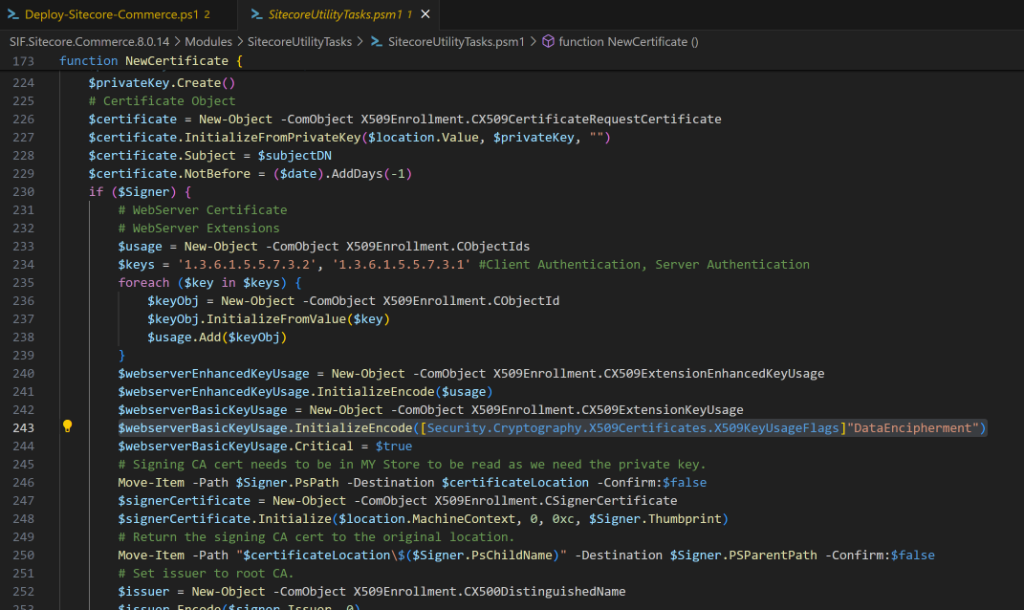
The line #243, show that the DataEncipherment key usage flag is passed explicitly for the certificate.
Now, I've to give it a try by changing the value to DigitalSignature. So, I changed the line #243 with the following and started Sitecore Commerce module installation.

Please make sure, before starting the Sitecore Commerce installation again, you must clean all the previous installation of Sitecore Commerce module, Sitecore instance, and remove all the SSL certificates created during the previous installation to make sure, you second attempt will create new SSL certificates with changed key usage.
Once the Sitecore Commerce module is installed successfully after changing the certificate usage key, I verified the certificate created and found that the key usage is showing the Digital Signature as shown in the below screenshot.
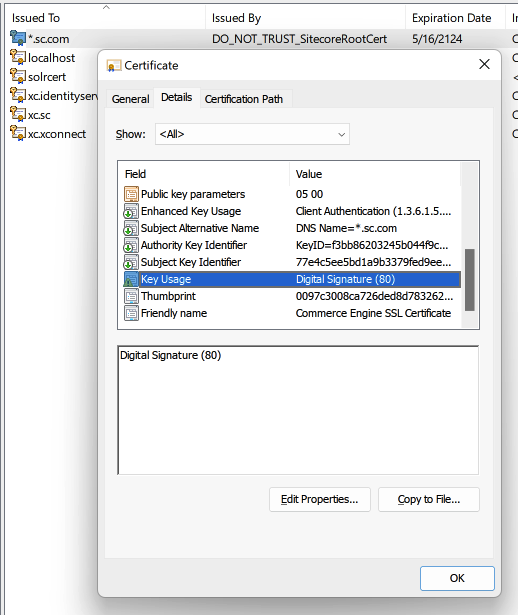
After the successful installation of the Sitecore Commerce module, you must be able to open the Commerce Business Tools application.
Clarification
Someone may think that why I wrote this article when Sitecore Commerce is now taken over by Order Cloud. Correct, Sitecore Commerce is no more available for the new customers. BUT, for the existing customers they may upgrade the Sitecore and Sitecore Commerce versions and developers must need that new version of Sitecore and Sitecore Commerce installed on their local system to carry out their upgrade work.
I hope, my this article will help those developers!